
Let's be honest, nobody got into customer support because they dreamed of answering "Where's my order tickets?" for their four hundredth time this week.
Yet here we are.
Status check.
Password resets.
Order tracking.
Delay Inquiries.
Shipping updates.
Refund policies.
These tickets? They show up every single day and mostly eat up hours of your team's time. But the good news? Even if they arrive everyday, they are the easiest to automate through customer support automation.
This is where an AI Employee for customer support changes the game, they are in-charge of handling repetitive tickets instantly, consistently, and at scale without burning out your support team.
However, as your brand grows, it's not realistic to respond to every ticket the second it rolls in. Here comes the tricky part, it’s not about deciding whether to automate it, but rather figuring out where to start since there are different priority levels to support tickets.
At Yep AI, we are here to help you structure a support ticket automation system powered by AI employees that will support your business goals. But first, let's take a look at why it's important to know customer support ticket prioritization.
Before you can automate anything effectively, you need to understand how your tickets are already being sorted or how they should be sorted.
Ticket prioritization is exactly what it sounds like: deciding which customer issues get attention first, and which ones can wait. It's not about ignoring anyone. It's about making sure a customer whose account has been hacked doesn't sit in the same queue as someone asking what time you close on Saturdays.
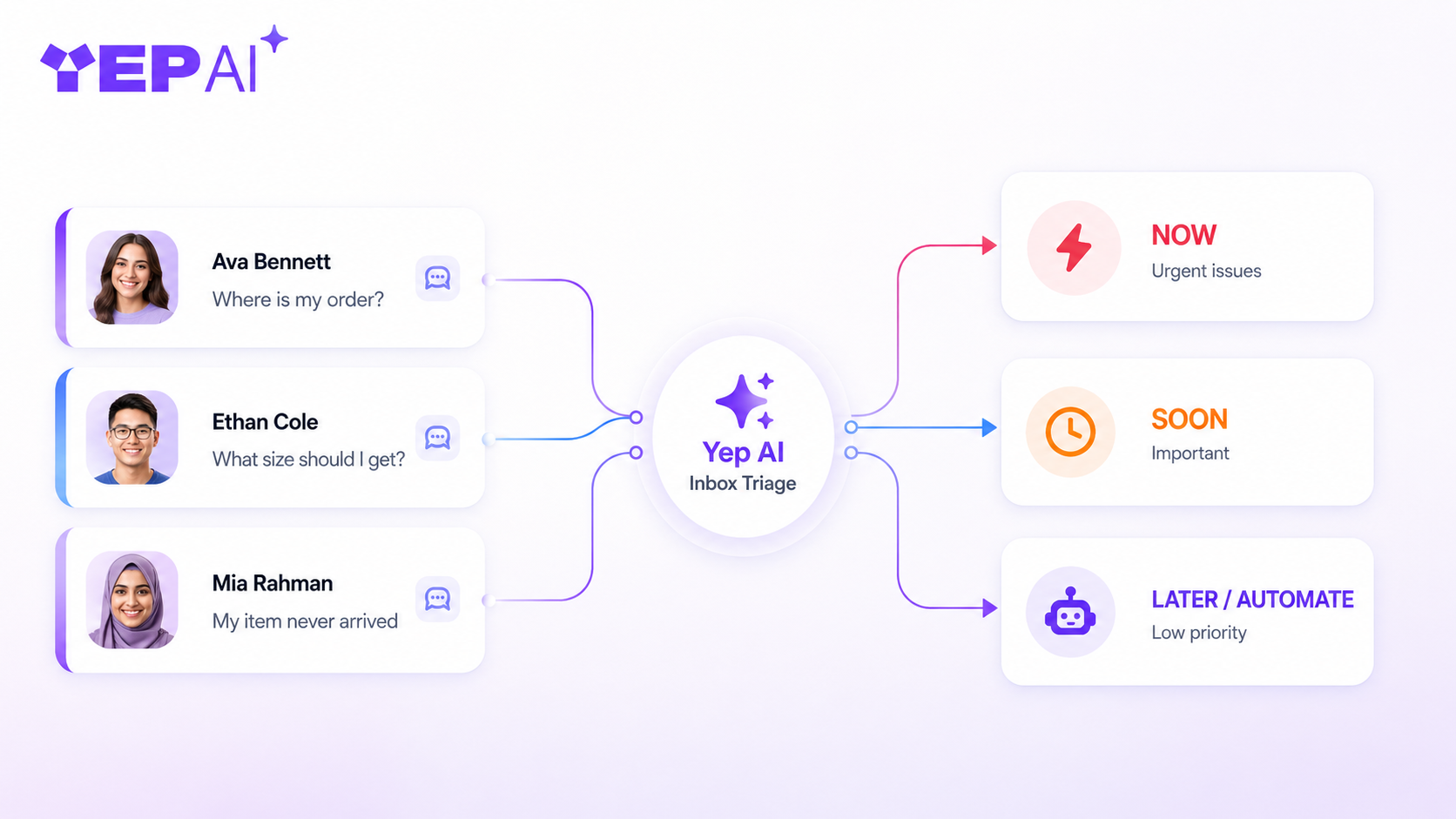
If it is done well, prioritization protects your customers, protects your team's focus, and makes sure the worst problems get fixed fastest. On the other hand, if it fails, every ticket feels equally urgent, agents get overwhelmed, and the customers who need you most end up waiting the longest.
Let’s take a close look at the different types of customer support ticket prioritization.
Just like the name, these are the tickets that can't wait. High-priority issues involve significant disruption, financial impact, or a customer whose trust is actively on the line. The conversation usually comes from VIP customers, conversations on live channels, and questions that might enable a sale. A delay here doesn't just frustrate someone, it can cost you the relationship entirely. What lands in this tier:
With high-priority tickets, your sales and business are on the line. These tickets require fast, consistent human responses because they sit outside the scope of automation and demand immediate attention every time.
Medium-priority tickets involve real problems that need real resolution, just not in the next ten minutes. The customer is frustrated or stuck, but they're not in crisis mode where it's time sensitive. What falls into this tier:
Medium-priority tickets are where a smart blend of automation and human review works really well. AI can acknowledge, gather context, and route, but a human often still needs to close the loop.
Low-priority tickets are simple, routine, and almost always have a clear answer. They don't require judgment, don't involve financial stakes, and the customer isn't in distress. They just have frequently asked questions they never read. This is your customer support automation sweet spot.What lives here:
Low-priority tickets aren't unimportant, they still represent a customer who needs help. But they're the perfect workload for customer support automation because the answer is always the same, the risk of getting it wrong is low, and the volume is usually enormous.
Identifying the priority of support requests is a key part of building a customer journey optimized for maximum revenue. However, many teams make the same mistake, they rush into full automation too early, and it backfires.
The best place to start is with tickets that follow a consistent pattern every time. These are the requests with clear, repeatable answers that don’t change from customer to customer. When an AI employee handles these consistently, it is handled well. As a result, it builds trust with your team, your leadership, and your customers.
That trust becomes the foundation for expansion. Once reliability is proven, automation can grow into more areas of the support journey.
However, you should remember that customer support automation works best when it removes repetitive work. The moment it begins replacing human empathy, you’ve gone too far.
Now let’s talk about which tickets you should automate first.
You already identified the customer ticket prioritisation, but how do you actually decide what goes first?
This is where most teams get stuck. They either automate whatever's technically easiest to build, or they go after whatever's top of mind. Neither approach is strategic, and neither delivers the results that make leadership say "let's do more of this."
A smart automation strategy follows a clear set of filters. Start by evaluating each ticket type using these criteria:

Tickets that score well across all five are your immediate wins. They're frequent enough to make a real dent in volume, simple enough that AI handles them reliably, and low-stakes enough that a mistake won't cost you a customer relationship.
Think order status updates. Password resets. Shipping FAQs. Return policy questions. These aren't glamorous, but automating them consistently is what creates the breathing room your team actually needs.
Start there. Build the track record. Then use that confidence to push into more nuanced territory over time.
Here's where the conversation gets interesting.
Traditional chatbots operate on scripts. They follow decision trees. They're rigid, predictable, and the moment a customer says something slightly unexpected, the whole thing falls apart. You've probably experienced it yourself as a customer, and it's not a great feeling.
AI employees are a different category entirely. Instead of following a fixed script, an AI employee understands context, adapts its responses, and handles the natural flow of a real conversation. It doesn't just match keywords, it grasps what the customer actually needs and responds accordingly. It can manage multiple tickets at once, work across channels, and never has an off day.
For customer support specifically, this changes the math completely. Your human agents are skilled at handling complexity, emotion, and nuance. That's where they should be spending their time. An AI employee steps in for everything else, the high-volume, repetitive, rules-based work that doesn't require a human but still needs to be done well and done fast.
The result isn't a smaller support team. It's a more effective one. Agents stop being ticket-processing machines and start being what they were always better suited to be: problem-solvers and relationship-builders.
That's the shift AI employees make possible. And it's exactly what Yep AI was built to deliver.
Meet Yep AI's AI Employee Customer Support Specialist Anna.
Anna isn't a chatbot with a FAQ database bolted onto it. She's a fully capable AI customer service specialist, designed to handle the kind of high-volume, repetitive support work that's been eating your team's time and energy.
Here's what Anna actually does:
If you've been holding off on automation because you've seen chatbots fail before, Anna is a different experience. She's built for the real, messy, unpredictable nature of customer conversations. Not a script. Not a decision tree. An actual AI employee who shows up, does the work, and does it well.
Are you ready to see what Anna can do for your support team? YepAI's AI employees are built to plug into your existing workflows and start handling tickets from day one, no months-long implementation, no army of developers required. The repetitive work gets handled. Your team gets their time back. And your customers get faster, better support around the clock.
That's not a distant future. That's what's available right now with Yep AI.
Hire your first AI Employee now and get your 14-day free trial. Easy set-up and no developer required.
With Yep AI, you can think less, stress less, and let AI Employees handle the rest.